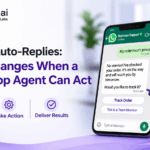
A WhatsApp AI agent does more than reply to messages. It understands what the customer wants, checks the right systems, and completes the task, such as booking a slot, raising a ticket or updating a CRM record. A traditional auto-reply bot answers questions, sends templates and follows fixed flows, but it often cannot finish the customer’s actual request. That gap is why so many WhatsApp chats still end with “a team member will contact you.” The real change is not better replies. It is turning a conversation into a completed business outcome. This guide explains how a WhatsApp AI agent differs from an auto-reply bot, what it can do, what changes for your team and customers, and which guardrails keep autonomy safe. Whether you run support, sales or operations, you will see where action matters first.
WhatsApp auto-reply vs AI agent: what is the real difference?
An auto-reply bot sends predefined answers, while a WhatsApp AI agent understands intent and completes a task. The difference shows up in context, system access and outcome. A bot sees only its script. An agent can use customer history, orders and past chats, and it can read from and write to connected tools such as a CRM, helpdesk or calendar. Industry definitions draw the same line: an agent pulls context from connected systems and acts on the team’s behalf instead of only replying. Think of the bot as a receptionist reading from a card, and the agent as a coordinator who can open the file, make the change and tell the customer it is done. Both have a place, and later sections explain when each one fits. The table compares them across six capabilities.
| Capability | Auto-Reply Bot | Action-Ready WhatsApp AI Agent |
|---|---|---|
| Primary Role | Sends predefined answers and templates | Understands intent and completes a task |
| Context | Limited to the current script or FAQ | Uses customer history, CRM data, orders and prior chats |
| System Access | Usually message-only or read-only | Reads and writes to CRM, helpdesk, ERP, calendar and workflow tools |
| Decision-Making | Follows fixed branching rules | Reasons across policies, context and available actions |
| Outcome | Answers a question | Creates a ticket, updates a record, books a slot or routes a lead |
| Human Handoff | Often abrupt or manual | Escalates with a summary and the full conversation history |
What does it mean for a WhatsApp AI agent to act?
Acting means the agent follows a loop: it receives a message, works out the intent, gathers context, decides, takes an approved action, checks the result and replies. Each step happens in seconds and inside rules you set.
- Receive the customer’s message.
- Understand what they are trying to do.
- Retrieve context from connected systems.
- Decide the next step.
- Take an approved action.
- Verify that it worked.
- Reply with a clear outcome.
For example, a customer writes, “My order hasn’t arrived.” The agent finds the order, checks delivery status, explains the delay, raises a ticket if needed and alerts the right team. The customer never has to repeat details or wait for someone to look it up. Every step is logged, so your team can review what the agent did and why.
How does an AI agent for the WhatsApp Business API connect to your systems?
An AI agent for the WhatsApp Business API sits between the customer’s message and your business tools. Messages arrive through the API, the agent interprets them, and secure integrations let it read and write data in the systems your team already uses. WhatsApp Business API automation can already link messaging to CRMs, order systems and ticketing tools, which is what turns isolated replies into workflows. The important design choice is the permission model: decide which systems the agent may read, which it may update and which actions need approval. Managed connectors speed this up because the integration work is handled for you instead of built from scratch. If you are starting from zero, our WhatsApp AI chatbot setup guide covers API access and platform choice. Security matters here too, so access should be limited, encrypted and reviewed regularly.
Which WhatsApp AI agent integrations matter most?
The most useful WhatsApp AI agent integrations are the systems that hold the answer or record the outcome: your CRM, your ticketing tool, your order system and your calendar. Start with the one tied to your busiest workflow, then add others once the first is stable. A short priority list helps:
- CRM: lets the agent look up customers, log conversations and update lead status.
- Ticketing or helpdesk: lets it create, update and route cases without manual entry.
- Order and logistics systems: lets it check delivery, returns and refund status.
- Calendar and booking tools: lets it offer slots, confirm changes and send reminders.
- Knowledge base: keeps answers grounded in approved policies and product information.
Each connection should have clear read and write limits. Fewer, well-governed integrations beat many loosely controlled ones.
What can WhatsApp automation with AI do beyond replying?
Beyond replying, WhatsApp automation with AI can qualify leads, resolve requests, manage appointments, trigger workflows and hand off to people with context. These five actions are the practical core of an action-ready agent:
- Qualify and route leads: Ask a few discovery questions, score intent, update the CRM and assign the right sales owner. Kriatix’s WhatsApp Lead Qualification Bot follows this pattern.
- Resolve support requests: Check order, billing or service status, answer from approved knowledge and escalate only exceptions.
- Book, change or cancel appointments: When a customer asks to reschedule tomorrow’s visit, the agent checks the calendar, offers open slots, confirms the change and updates the booking.
- Trigger operational workflows: Start refunds, replacements, callbacks, document collection or follow-up sequences through connected tools.
- Hand off intelligently: When confidence is low or the request is high-impact, pass the chat to a human with a summary and a suggested next step.
How does a WhatsApp AI agent for customer support change daily work?
A WhatsApp AI agent for customer support resolves routine requests from start to finish and passes only exceptions to people, with full context attached. Gartner predicts that by 2029, agentic AI will autonomously resolve 80% of common customer service issues without human intervention, leading to a 30% reduction in operational costs. Treat that as a forecast, not a guarantee, because results depend on your data, workflows and rules. In day-to-day work, teams can expect five shifts:
- Faster first response: The agent acknowledges and begins resolving immediately.
- Lower support load: Routine, repeatable requests no longer queue for a person.
- Cleaner data: Conversations update the CRM or ticketing tool without manual entry.
- Better handoffs: Human agents receive context instead of starting from zero.
- More consistent execution: Policies and escalation thresholds apply the same way every time.
What changes for the customer?
Customers get answers tied to their own order, booking or case, and they can finish simple tasks without leaving WhatsApp. That matters because WhatsApp is often where people already expect fast, informal, two-way conversation. An agent that can act makes the channel useful for completing things, not only for receiving updates. Four changes stand out:
- Customers do not switch apps or repeat themselves.
- Replies reflect their real account, order or case.
- Simple actions, such as changing a slot or checking a refund, finish inside the chat.
- When a human is needed, the conversation continues with context already captured.
The result is fewer frustrating loops and a clearer sense that the business has actually handled the request. Over time, that consistency builds the trust that keeps customers using WhatsApp for more than quick questions.
WhatsApp AI agent vs chatbot: which one does your business need?
Choose a chatbot when your questions are predictable and answers must be identical every time. Choose a WhatsApp AI agent when requests vary and each one needs an action in another system. A simple test helps: can you list every likely question in advance? If yes, a well-built chatbot is cheaper and easier to control. If the list keeps growing, or the answer depends on a customer’s account, an agent fits better. Many teams use both, with the chatbot handling the front door and the agent taking over when judgment or action is needed. Start small, measure resolution and handoff rates, and expand only where the agent clearly earns its place. The goal is the right tool for each conversation, not the most advanced one. That keeps cost and complexity under control while you learn what works.
How can you tell a real AI agent from a rebranded chatbot?
Ask whether the tool can complete a task in your systems, not only generate a reply. Gartner has warned about “agent washing,” where vendors relabel chatbots, assistants and RPA as agents, and it estimates that only about 130 of the thousands of agentic AI vendors are genuine. It also predicts that over 40% of agentic AI projects will be canceled by the end of 2027 because of rising costs, unclear value or weak risk controls. Before you buy, ask for a live demo of one workflow end to end: a lookup, a decision, a write to your system and a logged result. If it only answers questions, it is a chatbot. Also check how it handles errors, since a real agent should stop, explain and escalate when it is unsure. Ask who maintains its rules after launch, because agents need regular tuning to stay accurate.
Where does a WhatsApp AI agent need guardrails?
A WhatsApp AI agent needs guardrails wherever it can change data, move money or share personal information. Autonomy should be earned in steps, not granted all at once. Five controls cover most risk:
- Action permissions: Define which systems the agent can read, which it can write to and which actions require approval.
- High-risk approvals: Refunds, cancellations, account changes, payments and sensitive data requests may need human confirmation.
- Identity verification: Confirm the requester is authorised before sharing account details or changing records.
- Audit trails: Log every action, data source and decision for compliance and troubleshooting.
- Escalation rules: Define exactly when the agent must stop and bring in a person.
These controls address the same risks Gartner cites when it explains why many agentic projects fail. Review the logs weekly at first, then monthly once results are stable.
How does Kriatix make a WhatsApp AI agent practical?
Kriatix connects WhatsApp conversations to enterprise execution through a managed intelligence layer, so your team does not need to build the stack alone. Its Agentic AI offering is designed for this shift from chat to action:
- Conversational layer: Agentic Conversations covers WhatsApp and web chat engagement.
- Reasoning layer: Agents use context and data to decide the next best step.
- Integrations: Managed connectors link to CRM, support, scheduling and workflow systems.
- Governance: Agentic Governance adds compliance and audit monitoring with intelligent triggers.
- Ready-to-use starting points: Pre-built WhatsApp bots cover lead qualification, retail support and reminders.
An implementation team works with you on deployment and ongoing tuning, so the agent matches your processes and approval rules from the start. Source code access is available for select modules when enterprises need full control and extensibility.
Which workflow should you hand to a WhatsApp AI agent first?
Start with one high-volume workflow where the next step is clear, such as lead qualification, appointment changes, order status or ticket triage. Pick the one that costs your team the most repeated effort, define what the agent may do, and measure results before expanding. An auto-reply bot answers. A WhatsApp AI agent acts. The businesses that benefit most are not the ones with the most automation, but the ones that match each workflow to the right level of autonomy and keep humans in charge of high-impact decisions. If you can name a single workflow today, you already have the starting point for a pilot. Keep the first pilot narrow, with a clear owner and a clear success measure. Share the result with your team so the next workflow gets easier to approve and build.
Ready to Build Your First AI Agent Workflow?
Discover how Kriatix can help you design and deploy intelligent AI agents that automate business workflows.