WhatsApp learning reminders are short, automated messages that nudge learners to log in, finish a lesson, or take a quiz, sent on the app they already check every day. For Ed Tech & Upskilling teams, they solve a common problem: good courses that learners forget to open. This guide shows how to set up reminders and learner support on WhatsApp, from choosing the right account to writing templates, staying compliant, and measuring results. Every section stands on its own, so you can jump straight to the step you need.
What Are WhatsApp Learning Reminders in Ed Tech & Upskilling?
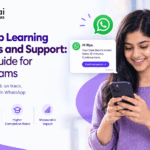
WhatsApp learning reminders are pre-approved messages that your learning platform sends to a learner’s WhatsApp number when something needs attention, such as an unfinished module, a live class, or a quiz deadline. In Ed Tech & Upskilling programs, they work as learning nudges that bring people back to the course without asking them to check yet another inbox. A reminder can be very simple: “Hi Riya, your Data Basics lesson takes 10 minutes. Continue here.” Reminders are only half of the setup. The same channel can also handle learner support, where a chatbot answers common questions and hands harder ones to a person. Together, reminders and support turn WhatsApp into a light layer on top of your LMS. It does not replace your course platform. It simply keeps learners moving through it every week.
Why WhatsApp Works for Learner Engagement and Course Completion
WhatsApp works for learner engagement because learners already use it daily, so a reminder lands where their attention already is. Email reminders compete with crowded inboxes, and app push notifications only work if the learner installed your app and allowed alerts. Learning science adds a second reason. Research on the forgetting curve and the spacing effect shows that people remember more when they revisit material at spaced intervals instead of all at once. Timed WhatsApp messages make spaced repetition easy to apply to microlearning, for example a two-minute recap one day after a lesson. There is also a practical benefit across Ed Tech & Upskilling programs, especially corporate training and employee upskilling. Frontline and field staff rarely sit at a desk, but they carry a phone. A short message with a direct link removes friction, and friction is often the real reason learners drop off.
What You Need Before Setting Up the WhatsApp Business API
Before you set up the WhatsApp Business API, you need five things: a verified Meta business account, a dedicated phone number, a Business Solution Provider (BSP) or direct API access, learner consent records, and a way to pull learner data from your LMS. The free WhatsApp Business app is fine for small groups, but it cannot automate reminders at scale. The API can. Ask your BSP how it handles templates, chatbot flows, and reporting, because these features differ from one provider to another. Also decide who owns the channel. Learning and development teams usually own the message content, while IT or the Ed Tech product team owns the LMS integration. Naming these owners early avoids delays when Meta asks for business verification documents or template edits. In most Ed Tech & Upskilling teams, this small planning step saves weeks later, because approvals and integrations tend to stall when nobody knows who owns them.
Step-by-Step Setup for Automated WhatsApp Reminders
You can set up automated learning reminders in six steps:
- Define triggers. Pick events such as enrollment, three days of inactivity, or an approaching deadline.
- Collect opt-in. Add a clear checkbox at sign-up that names WhatsApp and the type of messages learners will get.
- Connect your LMS. Link it to the API through your BSP or an automation platform such as Kriatix, using learner ID and phone number as the match.
- Submit templates. Send each message template to Meta for approval.
- Map triggers to templates. Set sending windows and avoid late-night messages.
- Test first. Run a pilot with an internal group before a full launch.
Start with only two or three reminders. In Ed Tech & Upskilling programs, too many triggers make learners mute the chat, and a blocked number hurts every future message. Once the first set performs well, add more.
How to Write Message Templates Learners Actually Read
Good learning reminder templates are short, specific, and offer one clear next step. Aim for under 40 words, add the learner’s name and course title as variables, and end with a single button such as “Continue lesson.” Meta sorts templates into categories. A reminder about a course the learner has joined usually fits utility, while promotions such as new course offers fall under marketing. Meta makes the final call, so choose the category honestly, since mislabeling risks rejection or penalties. Three templates cover most needs: a welcome message that sets expectations, an inactivity nudge, and a deadline or live-class alert. Keep the tone supportive rather than guilt-driven. “You are two lessons away from your certificate” usually feels more encouraging than “You have not logged in.” Always give learners an easy way to stop messages, such as replying STOP, and never use a reminder template to sneak in a sales offer.
Setting Up Learner Support With a Chatbot and Human Handoff
Learner support on WhatsApp works best as two layers: a chatbot answers common questions instantly, and a human steps in when the question needs judgment. Start by listing your ten most repeated questions, such as login problems, certificate downloads, and deadline extensions. Build answers for these into a WhatsApp chatbot, ideally one connected to your LMS or CRM so it can check the learner’s progress. Then set clear handoff rules, such as passing the chat to an agent after two failed answers or when the learner types “agent.” When a learner messages you, a 24-hour customer service window opens, and inside it you can reply without a template. If you use AI-generated answers, ground them in your approved course content and review conversations regularly. For Ed Tech & Upskilling teams, AI automation platform can route unresolved chats to the right person automatically, so staff focus on cases that truly need a human.
Consent, Compliance, and Cost: What Ed Tech Teams Should Plan For
Ed Tech & Upskilling teams must get opt-in consent before sending any business-initiated WhatsApp message, and must honor opt-outs immediately. Meta puts the burden of proof on the sender, so store when and how each learner agreed. Outside the 24-hour window, only approved templates are allowed, and templates that draw complaints get a lower quality rating and can be paused. On cost, Meta charges per delivered template message, with rates that depend on the message category and the learner’s country. Meta has also announced billing changes from October 1, 2026 for service replies and utility messages sent inside the 24-hour window, so replies that were once free may carry a fee. Check Meta’s current rate card and your BSP’s markup before you budget. If your learners live in several regions, price each one separately and review local data protection laws.
How to Measure WhatsApp Reminder Performance and Improve Results
Measure WhatsApp reminders by tracking what learners do after the message, not just whether it arrived. Watch five numbers: delivery rate, read rate, click rate, lesson restart or course completion rate, and block or opt-out rate. Compare them with a control group that gets no reminder, or an email-only group, so you know the reminder caused the change. Test one variable at a time, such as send time, message length, or wording, and review results weekly for the first month. If block rates rise, cut frequency or narrow the audience before Meta lowers your quality rating. Tie results back to learning outcomes too, such as quiz scores and time to certification. A message that raises clicks but not learning is not worth its cost. Over time, these numbers show which reminders belong in your Ed Tech & Upskilling playbook and which ones to retire.
Conclusion: Turn WhatsApp Into a Steady Study Habit for Your Learners
WhatsApp learning reminders work because they meet learners where they already spend their time. Set them up in a clear order: collect consent, connect your LMS through the WhatsApp Business API, write short templates, and add chatbot support with a human handoff. Then measure what changes in learner behavior, not just message delivery. Start small with two or three reminders, learn from the data, and grow from there. For any Ed Tech & Upskilling team, that steady rhythm of gentle nudges and quick answers can turn unfinished courses into completed ones.
Kriatix.ai is a low-code AI automation platform that helps teams build chatbots, workflows, and integrations without heavy coding. Book a demo to see how it can power WhatsApp reminders and learner support for your team.
Ready to Build Your AI-Powered Future?
See how Kriatix.ai can help you build custom AI solutions, faster and smarter.